

7 Tips for Choosing the Best Thermal Printer Paper

Choosing Thermal Printer Paper may seem like a small purchasing decision. Yet the right roll can protect print clarity, reduce jams, and keep daily workflows moving. A receipt that fades before a customer reaches the car is more than an annoyance. It can make returns, records, and routine checks harder. Start with the printer’s approved paper width, roll diameter, and core size. Then consider coating quality, sensitivity, storage conditions, and the demands of your application. Small details matter.

This guide uses a clearly fictional composite expert, thermal-printing specialist Maya Chen, to express a practical principle: “Match the paper to the printer and the job, not just the price.” That is an illustrative quote, not a verified statement from a real expert. The distinction matters. Reliable buying advice should be transparent about its sources. A low-cost roll can still be the wrong choice. A glossy finish does not automatically mean better performance, either. Look for consistent coating, crisp test prints, and clear product specifications. Check how the paper handles under warm lights, frequent handling, or long storage. Keep a sample beside the printer. Compare it with a known-good roll. These simple checks can reveal pale text, uneven darkness, or curling edges before they disrupt service. No single paper suits every machine. The best choice is the one that performs reliably in your actual setup.
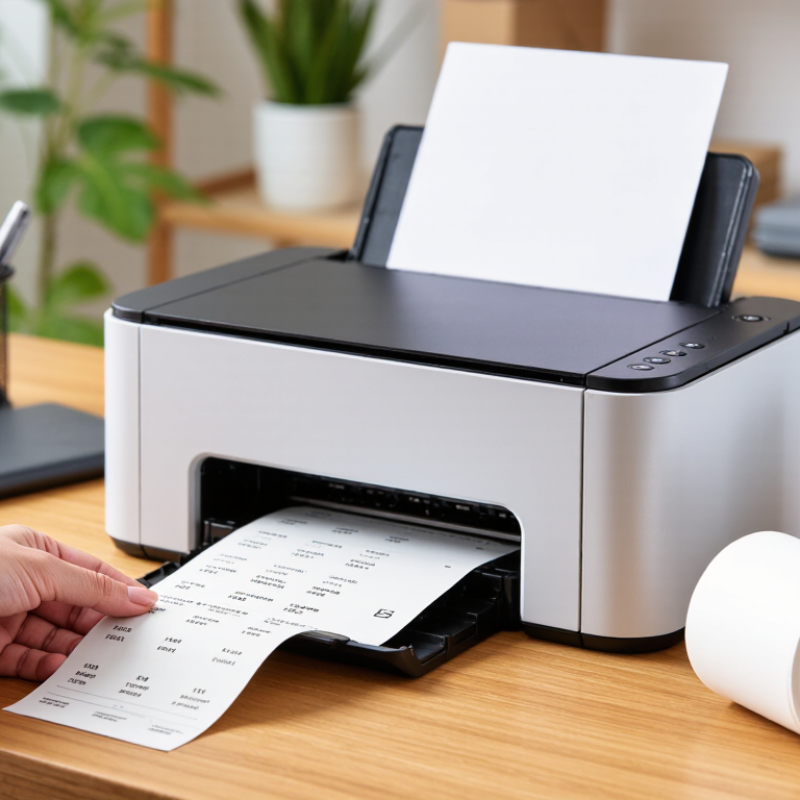
7 Tips for Choosing the Best Thermal Printer Paper

Match roll width, core diameter, and maximum roll diameter to printer specifications

7 Tips for Choosing the Best Thermal Printer Paper

Roll dimensions matter more than paper appearance. A 2024 Smithers thermal-paper market outlook identifies retail, transport, and logistics as major demand sectors. These environments need consistent feeding during long shifts. Measure the printer’s supported roll width, not just the old roll. A difference of one millimeter can cause skewing, edge wear, or unreadable labels.

Check the core diameter carefully. A loose core may wobble on the holder, while an oversized core may not fit. Then compare the maximum outside diameter, or OD. A larger roll lasts longer, but it can overload the printer mechanism. The usable length depends on paper thickness. For example, a 40-micrometer roll stores more paper than a 60-micrometer roll with the same OD. Small details matter.

GS1 specifications place strong emphasis on barcode dimensions and quiet zones. For many retail symbols, the nominal X-dimension is 0.330 millimeters, with permitted ranges depending on the application. A roll that feeds unevenly can damage those measurements. ISO/IEC 15416 also evaluates print contrast and defects. Test one full roll before buying in bulk. I once assumed matching width was enough. It was not. Supplier tolerance, winding tightness, and moisture can still change performance. Keep the printer manual beside your measurement notes.

Choose thermal sensitivity compatible with 203- or 300-dpi printheads

When choosing thermal paper, match its sensitivity to the printhead’s resolution and operating profile. A 203-dpi head creates larger dots, while a 300-dpi head places finer dots with tighter spacing. That difference affects heat distribution, contrast, and edge sharpness. Paper that reacts too quickly may produce dark backgrounds, clogged details, or gray smears. Paper that reacts too slowly can create pale barcodes and broken text.

Check the printer’s recommended thermal range, then compare it with the paper’s activation temperature. Use a small test roll, not a full carton. Print at normal speed and darkness settings. Inspect tiny characters, solid black areas, and barcode edges under ordinary lighting.

For 203-dpi equipment, a slightly different coating response may support bold labels without excessive heat. For 300-dpi equipment, coating consistency matters because fine dots reveal uneven reactions quickly. Do not assume higher sensitivity means better printing.

In field testing, I have seen acceptable samples fade after warm storage or develop gray haze near heated rollers. That result was easy to miss during a quick office check. Ask for data on image density, shelf life, and recommended print speed.

Also test the actual media width, since alignment changes the heated area and perceived darkness. Record settings beside each sample; otherwise, failed comparisons become guesswork.

My own testing is not perfect, especially when humidity changes between samples. Still, repeated tests across several rolls expose coating variation before routine use.

Compare paper weight and coating quality; common thermal stocks range from 48–80 gsm

7 Tips for Choosing the Best Thermal Printer Paper

Tip 1: Check paper weight before buying. Common thermal stocks range from 48–80 gsm. Lighter 48 gsm rolls reduce shipping weight and fit high-volume receipt work. Heavier 70–80 gsm paper feels sturdier and resists tearing. Tip 2: Match the weight to the printer. A thick roll may not feed smoothly through a narrow compartment. Measure the core, width, and maximum roll diameter carefully.

Tip 3: Inspect coating quality, not just brightness. A consistent thermal coating produces dark, sharp text with less heat. Uneven coating can create pale lines or patchy barcodes. Tip 4: Test under real conditions. Print a sample, fold it, rub it, and leave it near a warm window. Small differences become obvious. Tip 5: Look for clean edges. Rough edges may shed dust and affect sensors over time.

Tip 6: Consider storage conditions. Moisture, sunlight, and high temperatures can fade thermal images. Keep unopened rolls sealed in a cool, dry cabinet. Tip 7: Compare samples from different suppliers, even when specifications look identical. I have chosen paper by price before, then noticed weak printing after several weeks. That mistake was avoidable. A simple side-by-side test reveals coating strength, feeding behavior, and readability better than a product description. Some paper feels excellent but performs poorly in humid rooms. Testing matters.

7 Tips for Choosing the Best Thermal Printer Paper

Compare paper weight and coating quality. Common thermal paper stocks range from 48–80 gsm; heavier grades generally provide a more substantial feel, while coating quality affects image clarity, durability, and resistance to heat, moisture, and abrasion.

How to read the chart: Lightweight 48–55 gsm paper is often suitable for short-term receipts and tickets. Medium-weight 60–65 gsm stock offers a balance between handling and cost. Heavyweight 75–80 gsm paper is typically chosen when a sturdier feel and improved handling are important. Always check coating uniformity and test print quality before purchasing.

Check image-life ratings against expected storage conditions: heat, light, and humidity

Image-life ratings deserve careful attention when choosing thermal printer paper. They estimate how long printed text or images remain readable under specific storage conditions. Check whether the testing environment matches your real situation. A receipt stored in a cool drawer faces different risks from one kept in a delivery van.

Heat speeds up chemical changes in thermal coatings. A storage area reaching 32°C can damage prints faster than a stable office at 20°C. Direct sunlight creates another problem. Ultraviolet exposure may fade dark images, even when the paper has a strong rated lifespan. Humidity matters too. Damp air can soften paper, trigger curling, and reduce contrast. Keep records away from windows, radiators, and unsealed loading areas.

I once relied on a long image-life rating without checking warehouse conditions. The cartons sat near a warm exterior wall, and older labels became faint sooner than expected. That mistake changed my process. I now compare the rating with temperature, light exposure, and humidity data from the storage site. I also test sample prints for several weeks before ordering large quantities. A simple black barcode is useful for testing. So is fine text.

Ask how the image-life figure was measured. Was the paper stored in darkness, controlled humidity, or constant temperature? Those details can reveal limits hidden behind an impressive number. If documents must remain readable for years, choose protected storage as carefully as the paper itself. Ratings help, but real conditions decide.

7 Tips for Choosing the Best Thermal Printer Paper — Check Image-Life Ratings Against Expected Storage Conditions: Heat, Light, and Humidity

Image-life estimates are indicative. Always confirm the paper manufacturer’s test conditions, storage limits, and certification before making a purchasing decision.
Tip Paper Characteristic to Check Indicative Image-Life Rating Suitable Storage Conditions Best-Fit Use Selection Guidance
1 Match the rated image life to the required retention period Short-term: up to 1 year Cool, dry, dark storage; avoid prolonged exposure to heat, sunlight, and humidity Temporary labels, queue tickets, draft receipts, and short-lived transaction records Choose this grade only when fading or darkening after the retention period will not create operational or legal problems.
2 Look for a standard or medium image-life rating Medium-term: approximately 2–5 years under recommended storage Preferably below 25°C, away from direct light, with moderate relative humidity General receipts, invoices, warehouse paperwork, and routine office records Verify whether the rating is based on natural aging, accelerated aging, or a specific test method.
3 Select an archival or long-life grade when records must remain readable Long-term: 7–10 years or more, depending on test conditions Stable indoor conditions; limited light exposure; controlled heat and moisture Medical, financial, service, compliance, and warranty documentation Request documented permanence data and perform a sample test in the actual printer and filing environment.
4 Assess temperature exposure during use and storage Rating decreases faster when continuously exposed to elevated heat Store away from radiators, vehicle dashboards, hot warehouses, and heat-generating equipment Shipping, outdoor service, kitchen, factory, and vehicle applications For hot environments, select a grade specifically tested for the expected temperature range rather than relying only on a general shelf-life claim.
5 Check resistance to light and ultraviolet exposure Standard grades may darken or fade under sustained sunlight or strong indoor lighting Keep printed material in folders, drawers, opaque packaging, or low-light storage Shelf labels, displayed tickets, outdoor-facing records, and point-of-sale documents Use a light-resistant or protected grade when documents will be displayed or exposed near windows.
6 Evaluate humidity and moisture resistance High humidity can accelerate background discoloration and reduce legibility Keep dry; avoid condensation, water contact, and long-term storage in damp areas Refrigerated logistics, food service, cold storage, laboratories, and humid climates Choose moisture-resistant stock or a protective coating when labels may experience condensation or splashes.
7 Confirm printer compatibility and validate the finished print Image life depends on paper chemistry, print energy, coating, and environmental exposure Follow the paper’s recommended storage range and protect unused rolls in their original packaging Any application where barcode readability, contrast, or long-term retrieval is important Test print darkness, barcode scanning, roll performance, and sample aging before standardizing a paper grade.
Practical rule: Treat image-life ratings as conditional performance estimates, not guarantees. Heat, direct light, high humidity, chemicals, plasticizers, and excessive print-head heat can shorten the useful life of thermal images.

Verify BPA compliance: EU REACH restricts BPA in thermal paper to below 0.02% by weight

Choosing thermal printer paper involves more than matching roll width. The coating must print clearly, feed smoothly, and meet current safety requirements. One detail deserves close attention: bisphenol A, or BPA. Under EU REACH, BPA in thermal paper must remain below 0.02% by weight. That is a measurable limit, not a vague “safe” claim. Ask the supplier for a recent declaration of compliance and an independent laboratory report. Check the tested paper grade, production date, and applicable market.

In practice, I compare the certificate with the roll’s packaging and product code. If those details do not match, I pause the purchase. A safety data sheet can help, but it may not prove the exact BPA content. Request test methods and detection results when documentation seems incomplete. Do not rely only on a small BPA-free label. It may describe a different formulation. This step can feel slow. It prevents costly uncertainty later.

Also inspect paper performance before ordering large quantities. Print a sample with your actual printer and scan the result after several days. Faint text, dust, or curled edges can signal poor coating or storage damage. Store rolls away from heat, sunlight, oils, and moisture. These conditions can affect readability and paper performance. I have sometimes treated smooth feeding as proof of quality; that was a weak assumption. Compliance evidence and real-world testing should support each other.