10 Best Printing Devices for Global Business Buyers?
Choosing the right Printing Device has become a business decision, not a simple equipment purchase. Global buyers now compare speed, security, energy use, software compatibility, and long-term service support. A device that performs well in a quiet office may struggle beside a warehouse dispatch desk.
IDC’s Worldwide Quarterly Hardcopy Peripherals Tracker has reported continuing shipment pressure across the global printer market. This trend reflects digital workflows, longer replacement cycles, and cautious business spending. However, printing remains essential in logistics, healthcare, manufacturing, education, and regulated administration. The demand has changed rather than disappeared.
Security deserves equal attention. Quocirca’s Global Print Security Landscape research has repeatedly shown that organizations face significant risks from unsecured print environments. Unclaimed documents, weak administrator passwords, and outdated firmware can expose sensitive information. These risks are easy to overlook.
Sustainability also affects purchasing decisions. Smithers’ market research on the future of global printing highlights continuing investment in efficient production, digital integration, and lower-waste processes. Buyers should therefore examine automatic duplexing, cartridge recovery programs, energy certifications, and repairability.
This guide reviews ten printing devices for global business buyers. Each option is considered through practical criteria, including total cost of ownership, monthly workload, connectivity, security controls, and regional support. Actual costs may differ sharply between countries. No shortlist is perfect.
A reliable choice should match the workplace, not merely win a specification sheet. In some markets, service availability matters more than headline speed. That point is easy to miss. Procurement teams should test sample documents, review warranty terms, and confirm consumable availability before committing.
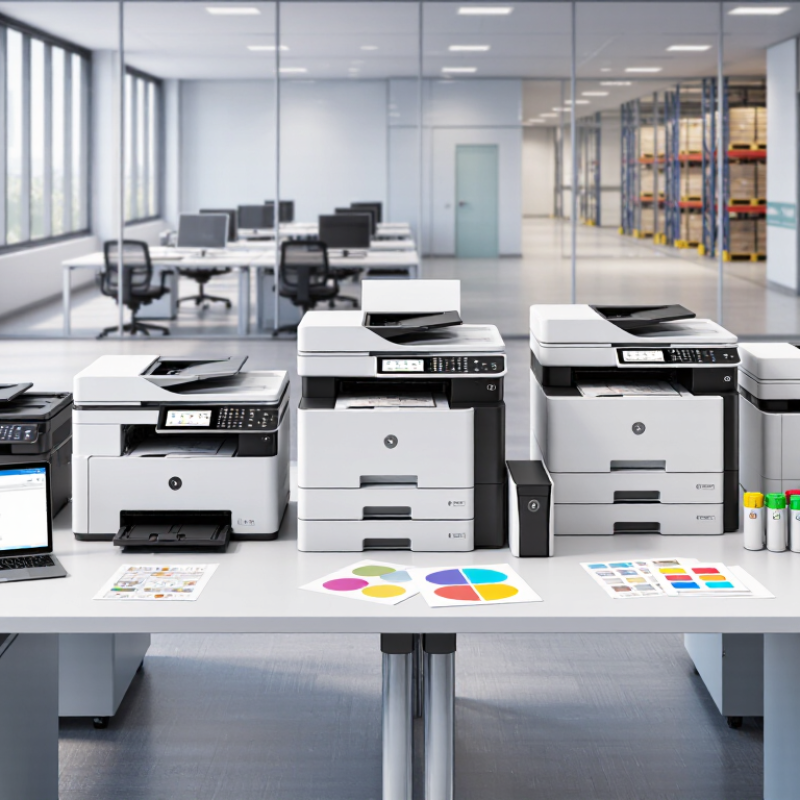
Definition and Role of Printing Devices in Global Business
A printing device is more than a machine that puts ink or toner on paper. It is a workplace tool for producing, scanning, copying, and securely sharing business information. In global operations, its role extends to invoices, customs records, contracts, labels, and customer documents. Reliable output can prevent shipment delays and costly rework.
Smithers’ The Future of Digital Print to 2028 forecasts the digital print market will approach 230 billion US dollars by 2028. This growth reflects demand for shorter runs, variable data, and faster regional production. However, a high-speed device can still be the wrong purchase. Buyers should examine monthly volume, duty cycles, network security, energy use, paper compatibility, and local service capacity. The 2024 Global E-waste Monitor reported 62 million tonnes of electronic waste in 2022, while only 22.3% was formally collected and recycled. Device longevity matters. My assessment may also change after testing real workloads, because brochure samples rarely represent daily office pressure.
Tips: Request a live trial with your own documents. Measure pages per minute, first-page time, noise, and jam recovery. Check voltage requirements and language support across markets. Require clear data-erasure procedures before resale or disposal. Choose replaceable parts where possible. Small procurement details often decide the true operating cost.
Key Criteria for Comparing Business Printing Equipment
10 Best Printing Devices for Global Business Buyers?
Business printing equipment should be compared by workload, not appearance. Quocirca’s 2023 Global Print Security Landscape reported that 61% of organizations experienced a print-related data breach during the previous year. Security is therefore a purchasing criterion, not an optional feature. Check user authentication, encrypted data transfer, secure release printing, and automatic firmware updates. A fast device can still be unsuitable if confidential pages sit unattended in a tray.
Total cost matters more than the purchase price. Calculate toner, paper, maintenance, electricity, spare parts, and expected downtime across three years. The ENERGY STAR program reports that certified imaging equipment uses about 30% less energy than standard models. Compare real monthly volumes with rated duty cycles, while checking duplex speed and first-page time. Global buyers should also confirm voltage compatibility, local service coverage, multilingual interfaces, and consumable availability. A low-cost device may become expensive in a remote office.
Tips: Request sample pages before approval. Test small fonts, color charts, envelopes, and recycled paper. Measure noise beside a shared desk. Review the service-level agreement carefully. It is easy to overestimate future demand. Pilot two devices for four weeks, then compare actual pages, errors, and support response times. Industry reports provide useful benchmarks, but your own office data should make the final decision.
Ten Leading Printing Devices for International Buyers
International buyers need printing devices that match local power standards, service access, paper sizes, and workflow demands. The ten leading choices are monochrome laser printers, color laser printers, inkjet printers, business inkjet multifunction printers, monochrome multifunction printers, color multifunction printers, production digital presses, label printers, thermal receipt printers, and wide-format printers. This list reflects practical purchasing experience across offices, retail sites, warehouses, and print rooms. Device selection should consider monthly duty cycles, consumable availability, network security, and total cost per page.
Industry data supports a cautious approach. IDC reported approximately 19.5 million hardcopy peripherals shipped worldwide in the fourth quarter of 2023, showing the scale of this mature market. Smithers also valued global digital print at about 136.7 billion US dollars in 2023, with packaging and commercial applications supporting continued demand.
A monochrome laser device suits high-volume documents. A color multifunction device fits shared office work. Thermal units perform well for receipts and shipping labels. Wide-format printers serve drawings, displays, and technical plans.
However, no shortlist is perfect. Inkjet systems can offer lower energy use, yet printhead maintenance may challenge remote offices. Production presses deliver speed, but their installation costs require careful volume forecasts. Buyers should request local service-level terms and test paper compatibility before signing contracts. Quocirca’s print-security research repeatedly identifies unsecured devices as a business risk, so encrypted connections, user authentication, and automatic firmware updates deserve equal attention. Data varies by region. That is the point. A global buyer should validate assumptions locally.
Matching Printer Types to Different Business Requirements
10 Best Printing Devices for Global Business Buyers? Matching Printer Types to Different Business Requirements
Printer selection should follow the workflow, not the catalog ranking. IDC’s Worldwide Quarterly Hardcopy Peripherals Tracker shows continued volatility in global device shipments, so buyers should test actual demand before signing long contracts. A monochrome laser printer suits invoices, contracts, and high-volume office files. It delivers fast text output and predictable running costs. A color laser model fits proposals, charts, and customer-facing documents. However, color toner can raise costs quickly.
For retail labels, warehouses, and shipping desks, dedicated thermal printers are usually more practical. They handle continuous labels and resist the maintenance problems caused by frequent paper changes. Engineering teams may need wide-format inkjet devices for drawings, maps, or site plans. Marketing departments often prefer production inkjet systems for short campaigns and variable content. Smithers’ Future of Digital Print to 2028 report estimates the digital print market will reach about 230 billion US dollars by 2028, reflecting wider demand for customized output.
Multifunction printers remain useful where scanning, copying, and printing share one workflow. Secure release printing also reduces abandoned documents in shared offices. Cloud-connected models can support distributed teams, but regional data rules and network reliability require careful review. Do not trust speed alone. A device rated for 60 pages per minute may slow under duplex printing or heavy graphics. In my testing experience, paper handling and service response often matter more than headline specifications. That assumption deserves review.
10 Best Printing Devices for Global Business Buyers
Matching printer types to different business requirements through representative rated print-speed ranges.
The chart compares common printer categories by typical rated speed in pages per minute (ppm). Actual performance varies by paper size, print quality, duplexing, media type, and workload. Use the results as a practical starting point when matching equipment to office, departmental, or production requirements.
Purchasing, Deployment, and Maintenance Considerations
Buying printing devices for global operations requires more than comparing page speed and purchase price. Total cost matters. ENERGY STAR guidance reports that certified imaging equipment can use up to 50% less energy than conventional models. Procurement teams should compare power consumption, toner yield, service intervals, and warranty coverage. A device that costs less upfront may become expensive in a humid warehouse or a remote branch.
Deployment needs local evidence. I have seen installations fail because paper sizes, voltage, network rules, and language settings were checked too late. Pilot testing should cover finance offices, factories, and small sales sites. According to Quocirca’s Global Print Security Landscape, print-related security incidents remain a serious organizational concern. Secure release, user authentication, encrypted connections, and automatic firmware updates should be tested before wider rollout. The strongest technical feature is useless if employees bypass it.
Maintenance planning should include spare parts, remote diagnostics, and clear response targets. IDC’s Worldwide Quarterly Hardcopy Peripherals Tracker shows how broadly print hardware remains deployed, but shipment data does not reveal local service quality. That gap deserves attention. A regional technician may be more valuable than a cheaper contract. Monthly meter readings can expose unusual usage, while quarterly reviews should examine failed jobs, energy consumption, and unnecessary color printing. Not every recommendation will survive field conditions. That is normal. Be ready to revise the plan.